It's been a long time coming. I was first introduced either in 2019 or 2020 to Taskade, a groundbreaking does-everything web app that positioned itself as the ultimate collaboration hub for budding startup companies. Taskade was basically Notion before Notion. Little did I realize then that the team of minds behind Taskade would soon make some big decisions about which new ground they wanted to break. As a subscriber to their newsletter, I would get weekly emails about ways to effectively organize information, and utilize this platform built by a band of starry-eyed dreamers as a second brain. If you look at some of their blog pages from circa 2022, I'm sure you can find more than one example of this idea being touted, and I assume based on what monster Taskade eventually grew into that the people making the big decisions at Taskade HQ may have taken those aspirations a little too literally, as did many,
many of their contemporaries. *sigh*
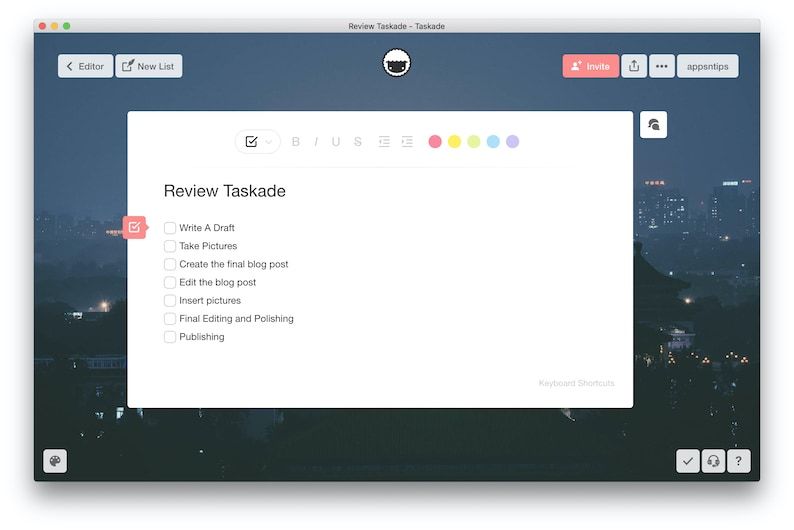
To illustrate what I mean, it might help to compare what Taskade looked like way back when I first began using it and compare it looks like today. Here is a screenshot of the Taskade UI in 2020:
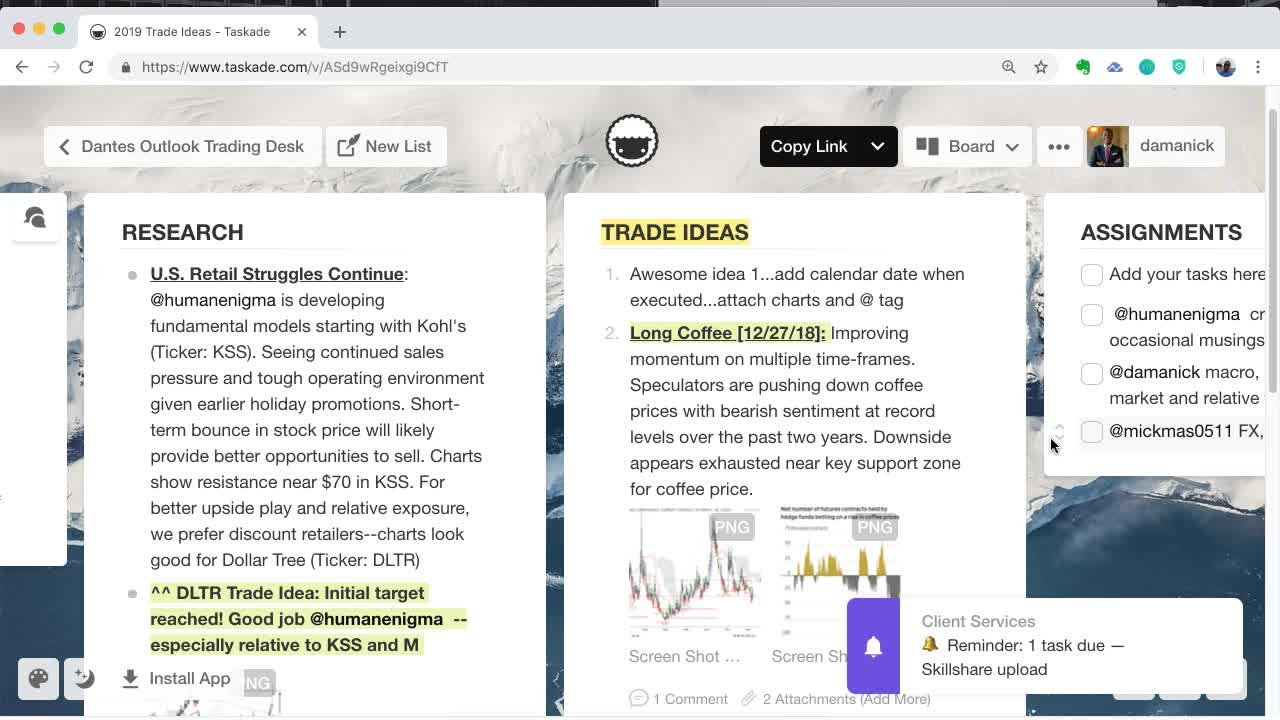
I'm afraid this screenshot fails to do justice to the flexibility behind this simple and elegant UI. Here's another one:
This one actually shows the headline feature that won me over to Taskade to begin with: Each document could be displayed in one of multiple views. The screenshot above shows the
Board view, but there were four or five others, including mindmap and org chart views. And it was a cinch to change the formatting of a group of bullet points so they became checklists, or add a due date to an item and have it show up in your calendar. And it was as easy to invite a fellow collaborator to your Taskade workspace as it is to share a google drive document, which is why I did just that at every opportunity, until the app eventually became bloated and slow to run on mobile devices. I wish sharing a screenshot would make it easy to explain why:
Where on earth did all my documents and projects go!? I had to go hunting for them using this unintuitive UI that had changed seemingly overnight! And I found out earlier this month that the newest headline feature that now takes up the most space in the new UI is a paid feature! See for yourself:
Needless to say, I felt cheated, and I'm sure you would be too. Thankfully, my precious past history with this now-overgrown app I had known when it was only a sapling was not forever locked behind a paywall. I was able to find my projects and export them as markdown files, which I (as I'm sure you can predict will happen next based on something I wrote in a previous blog post in case the cover image hasn't already given it away) added to my Obsidian vault.
At time of writing, Obsidian has already replaced basically everything I previously used Taskade for.
"Now hang on a minute", I already hear you saying, "This is only part 1."
Yes. Stay tuned if you want to learn how I incorporated the best physical notepad in Part 2...



Comments
Post a Comment